 7mayurpatel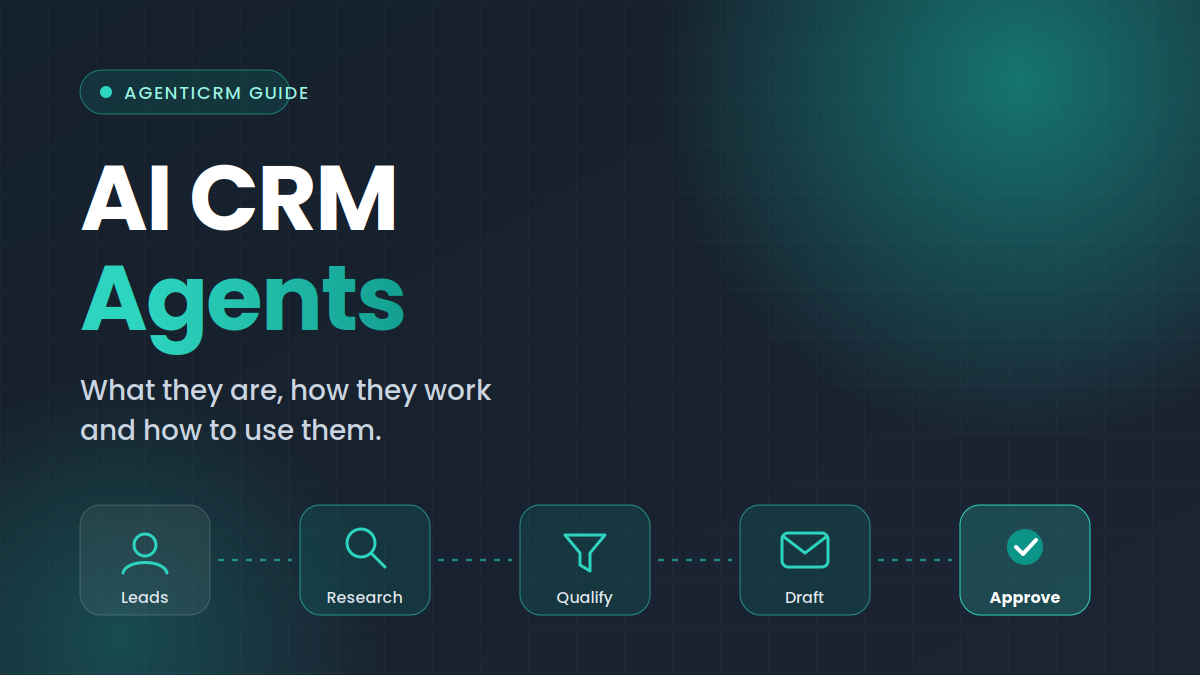
What is an AI CRM agent?
An AI CRM agent is a piece of software that uses a language model to carry out tasks inside a CRM workflow. It reads the information you have about a lead, follows instructions you have written, and produces an output such as a qualification result, an email draft or a suggested follow-up.
The word “agent” matters. A basic AI feature answers a single prompt: “write me an email.” An agent works through a sequence. It gathers context, makes a judgement, takes an action, checks what happened and decides what comes next. In a CRM, that sequence usually looks like research, qualification, drafting, review, sending, monitoring and follow-up.
Agent vs chatbot vs automation
These three terms are often mixed up, so it helps to separate them.
| Tool | How it works | Best for | Limitation |
|---|---|---|---|
| Rules-based automation | Runs fixed “if this, then that” steps | Repeatable tasks with clear triggers | Cannot handle anything outside its rules |
| AI chatbot | Answers a prompt in a conversation | One-off questions and drafting | Needs a person to drive every step |
| AI CRM agent | Works through a multi-step workflow using your data and instructions | Research, qualification, outreach and follow-up | Needs clear instructions and human review |
None of these replaces the others. Many teams use all three: automation for scheduling, a chatbot for quick questions and an agent for the multi-step work around leads.
How CRM agents work
Under the hood, a CRM agent combines three things: your data, your instructions and a model that can reason about both. The details differ between products, but most follow the same pattern.
- Input. The agent receives a lead with whatever information you have, such as name, role, company, website, location and notes.
- Context. It adds relevant public context, such as what the company does, based on its website and other public sources.
- Instructions. It applies the rules you wrote: your offer, your ideal customer, your tone and your limits.
- Output. It produces a result, such as a fit assessment or an email draft, along with a short reason.
- Review. A person checks the output and approves, edits or rejects it.
- Follow-through. After sending, the agent watches for replies and prepares the next step.
The value of an agent is not that it replaces your judgement. It is that it prepares everything so your judgement is applied only where it counts.
What CRM agents can do
The exact feature set varies, but the most useful tasks cluster around the lead lifecycle. Here is where agents tend to save the most time.
Lead research
Researching a lead manually means opening the company website, reading about what they do, checking the person’s role and noting anything relevant. An agent can do this for every lead on a list and summarise the result in a few lines.
Lead qualification
Qualification is the decision about whether a lead deserves your time. An agent compares each lead against the criteria you define and returns a fit, a maybe or a no, ideally with a reason your team can verify quickly.
Personalized outreach
With research and qualification in hand, the agent can draft an email that reflects what it learned about the company and your campaign. Because the draft is based on real context, it can be more specific than a template, and your team can improve it in a minute rather than writing from scratch.
Reply handling
When a lead replies, the conversation needs attention quickly. An agent can capture the reply in the lead’s record, update the status and prepare a suggested response based on your rules, ready for someone to review.
Follow-up preparation
Follow-ups are where many sales processes quietly fail, simply because people forget. An agent can prepare follow-up messages according to the timing you set and stop automatically once a reply arrives.
Manual CRM work vs agent-assisted work
The difference is clearest when you compare the same workflow done two ways.
| Workflow step | Manual approach | Agent-assisted approach |
|---|---|---|
| Adding leads | Copy and paste from spreadsheets | Import a CSV or add leads manually |
| Researching each lead | Browse websites and take notes | Research prepared automatically |
| Qualifying | Judgement varies by person | Same criteria applied to every lead |
| Writing emails | Template with a few edits | Draft based on lead and campaign context |
| Tracking replies | Check the inbox and update records by hand | Replies captured in the conversation |
| Following up | Reminders and memory | Follow-ups prepared on your schedule |
| Final decision to send | Human | Human |
Notice that the last row does not change. Good agent design keeps the decision with a person.
Why human approval still matters
AI models are capable, but they are not infallible. They can misread a website, rely on outdated information or choose a tone that does not suit your brand. In outreach, a single bad message can harm a relationship that would have been easy to win.
That is why many teams prefer an approval-first workflow. The agent prepares the work and places it in a review queue. Someone on the team can then:
- Read the draft and the reasoning behind it
- Edit the wording, the offer or the call to action
- Approve the message so it can be sent
- Reject it if the lead is not a good fit
Over time, the edits you make teach you what to put in your instructions, and the drafts get closer to what you would have written yourself. You can also decide which kinds of messages need a closer look and which are routine.
How to set up a CRM agent workflow
Adopting an agent does not require a long project. A careful start with a small list usually works better than a big launch. Follow these steps.
Step 1: Define who you want to reach
Write down your ideal customer in plain language. Include industry, company type, role, location and any signals that suggest good timing, such as hiring for sales roles or launching a new product. Also write down who you do not want to contact.
Step 2: Prepare a clean lead list
Start with a CSV that includes the fields your agent can use: company, contact name, role, website and any notes. Quality beats quantity. A smaller list with accurate information produces better drafts than a large list full of gaps.
Step 3: Write clear campaign instructions
Describe your offer, tone, qualification rules and how you want objections handled. Be specific about length and style. “Short, friendly, no hype, one clear question” is far more useful than “professional.”
Step 4: Review the first batch closely
Read every draft in your first run. Note what is wrong and fix it in your instructions rather than only in the individual email. This is the fastest way to improve quality.
Step 5: Send, monitor and refine
Once drafts look right, approve and send. Watch replies, adjust your qualification rules and widen the list gradually.
Writing good instructions for your agent
Instructions are the control panel for an agent. The clearer they are, the better the output. A useful set of instructions usually covers five areas.
| Area | What to include | Example |
|---|---|---|
| Offer | What you sell and the problem it solves | “We help agencies organise outbound campaigns.” |
| Audience | Who is a good fit and who is not | “B2B companies with a sales team; exclude freelancers.” |
| Tone | How the message should sound | “Plain, friendly, no exclamation marks.” |
| Objections | How to respond to common pushback | “If asked about price, share the pricing page link.” |
| Limits | What the agent must never do | “Do not promise results or discounts.” |
Treat instructions as a living document. Each time you spot a recurring problem in the drafts, add a line that prevents it.
Common mistakes when adopting CRM agents
- Starting too big. A large first campaign makes it hard to spot problems. Begin with a small batch.
- Vague instructions. If the agent has to guess what you want, the output will be generic.
- Skipping review. Sending unreviewed drafts risks errors and damages trust.
- Poor data quality. Wrong job titles or outdated websites lead to irrelevant messages.
- Over-following up. Aggressive timing annoys prospects and can hurt your sender reputation.
- Ignoring replies. An agent can surface a reply quickly, but someone still has to act on it.
Who benefits most from CRM agents?
Agents are most useful where outreach volume is meaningful but each message still needs to feel personal.
| Team type | Typical use |
|---|---|
| B2B sales teams | Researching target accounts and preparing first-touch emails |
| Agencies | Running repeatable campaigns with client-specific positioning |
| SaaS companies | Organising prospects and keeping conversations tied to lead data |
| Founders and small teams | Doing outreach without a dedicated research or SDR function |
| Teams re-engaging old leads | Preparing follow-ups based on previous activity |
What to look for in a CRM agent platform
If you are comparing tools, a short checklist helps cut through marketing claims.
- Human approval. Can you review and edit messages before they are sent?
- Clear instructions. Can you describe your workflow in plain language?
- Lead import. Can you bring in existing leads, for example through CSV?
- Email connection. Does it work with the email setup you already use, such as Gmail or standard SMTP?
- Reply handling. Are replies captured in the conversation, and do follow-ups stop when someone answers?
- Transparency. Does it show why a lead was qualified or an email was written that way?
AgenticRM is built around this approach: lead management, AI research, qualification, personalised drafts, reply monitoring and follow-up preparation in one workspace, with approval kept in your team’s hands. Email through Gmail and compatible SMTP is available today, and other channels are planned.
Frequently asked questions
Do CRM agents replace salespeople?
No. They take on repetitive preparation work so people can spend more time on conversations, relationships and decisions that need judgement.
Do I need technical skills to use one?
Not usually. Most of the setup is writing clear instructions in plain language and reviewing the results.
Can I control what the agent says?
Yes. You define the offer, tone, qualification rules and limits, and you can review and edit drafts before anything is sent.
What happens when a lead replies?
The reply can be captured in the lead’s conversation, the status can be updated and the agent can prepare a suggested response for you to review.
Is an agent the same as an email sending tool?
No. A sending tool delivers messages. An agent also handles the research, qualification and preparation around them, and connects that work to your lead records.
How many leads should I start with?
Start small, such as a few dozen well-chosen leads. Review the results, refine your instructions and then scale up.
Next steps
CRM agents work best when they are treated as a capable assistant rather than an autopilot. Start with a focused list, write clear instructions, review the first drafts closely and keep a person responsible for what gets sent.
If you would like to see the workflow in practice, read how AgenticRM works, explore the features or view pricing. When you are ready, create a free account, upload your first leads and review the AI-prepared drafts before anything is sent.
